File recovery tool for mobile
File recovery is a free utility app developed by AmPlus+ for mobile devices. It is a file recovery tool that helps users recover data that were accidentally deleted or otherwise. With it, they can scan their devices for all types of files, and see what can still be saved.
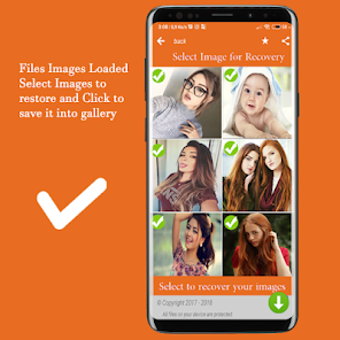
Much like other similar solutions like Dumpster - Recover Deleted Photos Videos Recovery or Dr.Fone - Recover deleted data, File recovery features simple operation that does all the work for the user. Once finished, the results will be displayed in a grid layout for easy viewing and navigation.
Salvage deleted files
If you're a power user, chances are you frequently fill up your device's storage rather quickly and resort to deleting files in order to free up some space. However, during the whole process, there will be times when you'll delete something unintentionally. These are the types of situations where file recovery apps come into play, and file recovery is one of them.
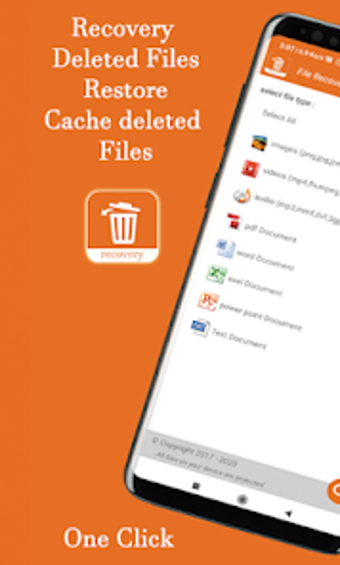
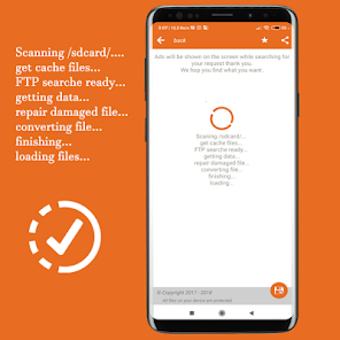
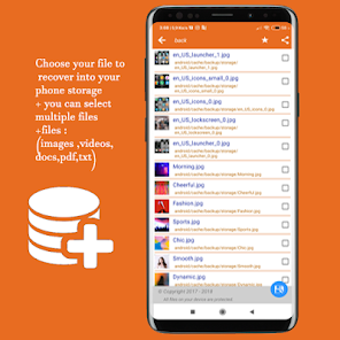
When you first open the app, you can start scanning for deleted files right away with its easy one-tap operation. As for the things it can scan for, the list includes audio, photos, and videos across a variety of formats. It can even search for various documents like text or PDFs. The places it can search cover your internal storage, as well as SD cards and FTP servers.
After the scan finishes, the results can be displayed in either list or grid layout as you prefer. From there, it's just a matter of looking for the ones you want to recover and ticking the checkbox to their right to select them. Now, what it can find will depend on various factors like file type, size, and how long ago it was deleted. Your mileage will vary.
Save what you can
To conclude, if you find yourself in a situation where you accidentally deleted some files you didn't mean to, you can try the File recovery app to see if you can still recover them. It's easy to use, supports pretty much every format out there, and the whole process is just very straightforward and simple. It's not a guarantee, but it's worth a shot.


.png)